Step 1
Pair your meter
- Any Bluetooth meter exposing the standard Glucose Service (0x1808)
- OneTouch Verio meters via the proprietary protocol
- iOS shows the pairing prompt; Glucera takes it from there
You've got the full app — everything here stays free after launch too. Just use it with your meter and let me know how it goes.
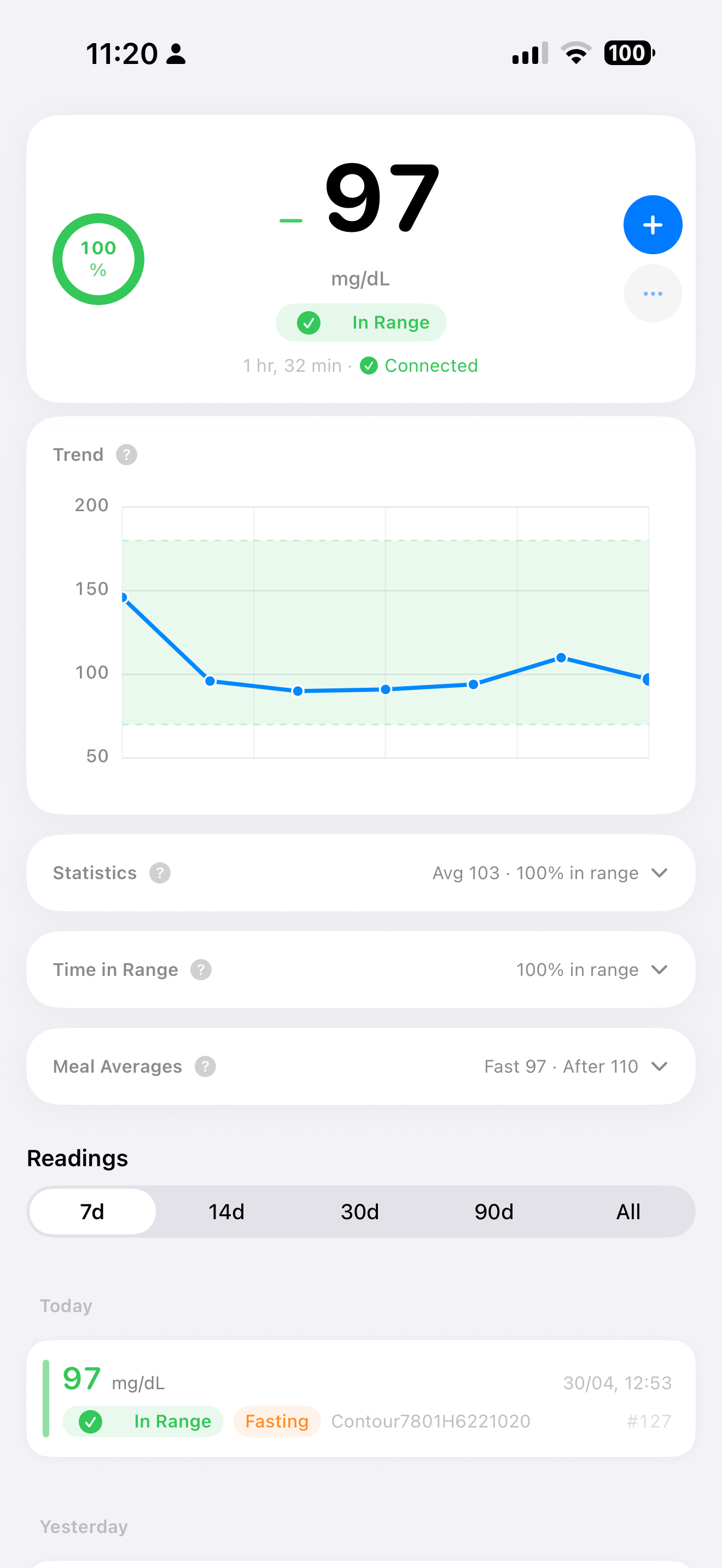
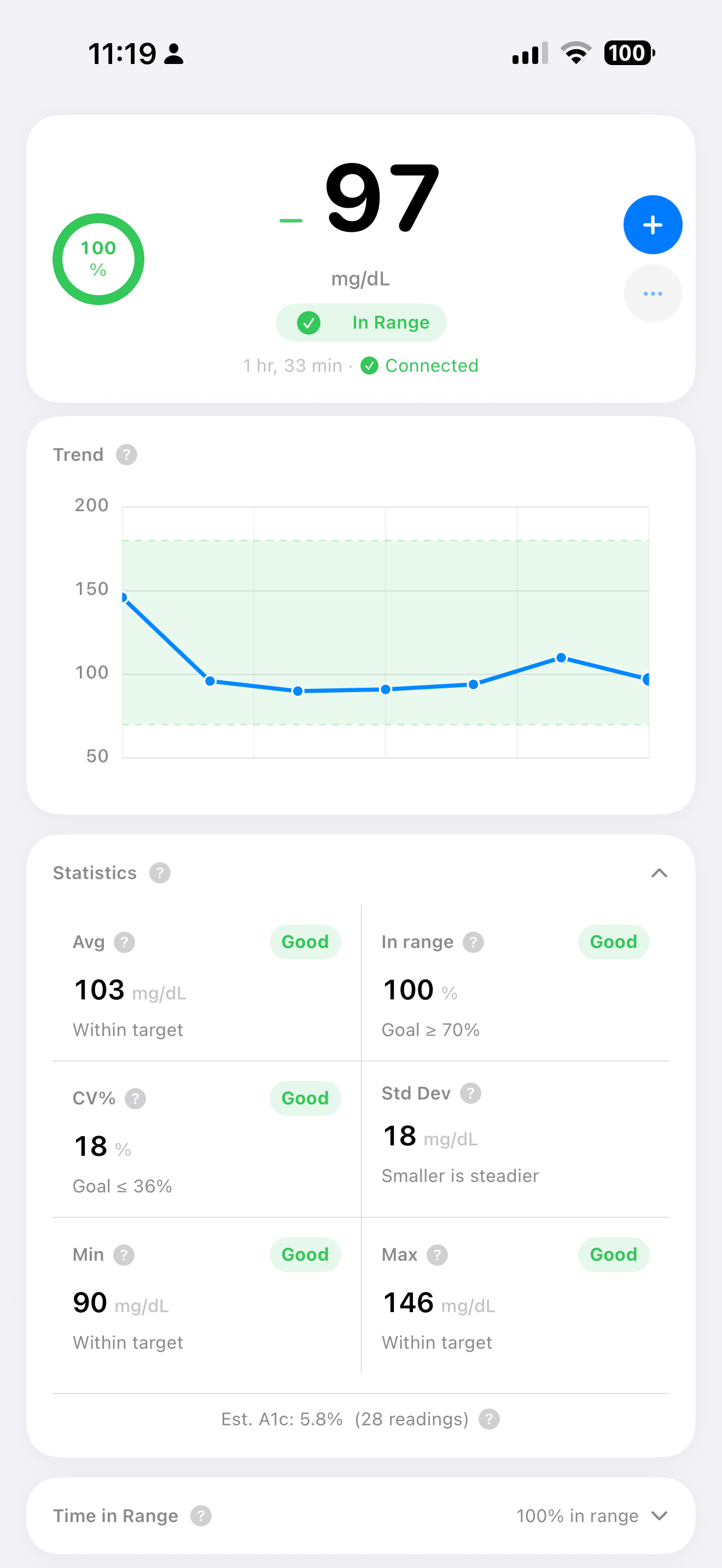
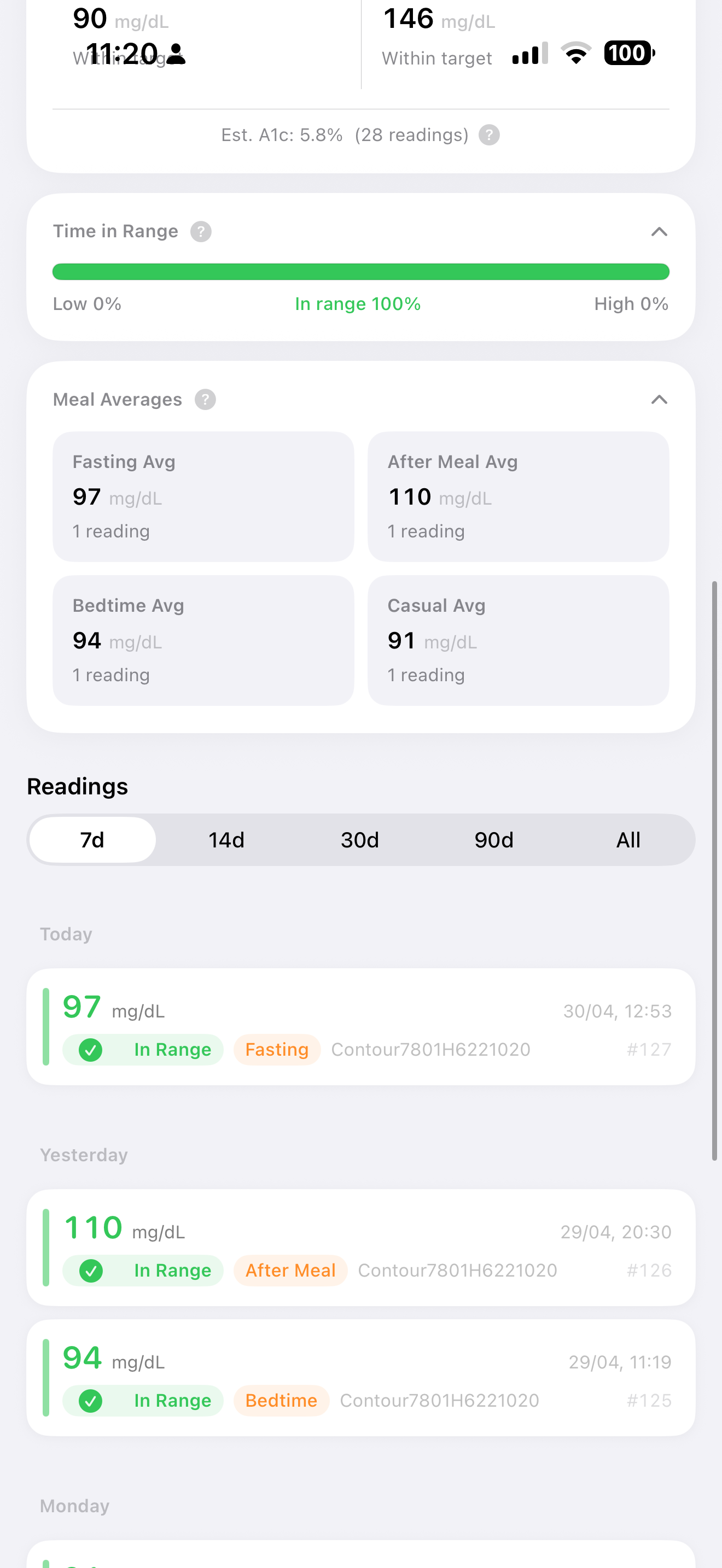
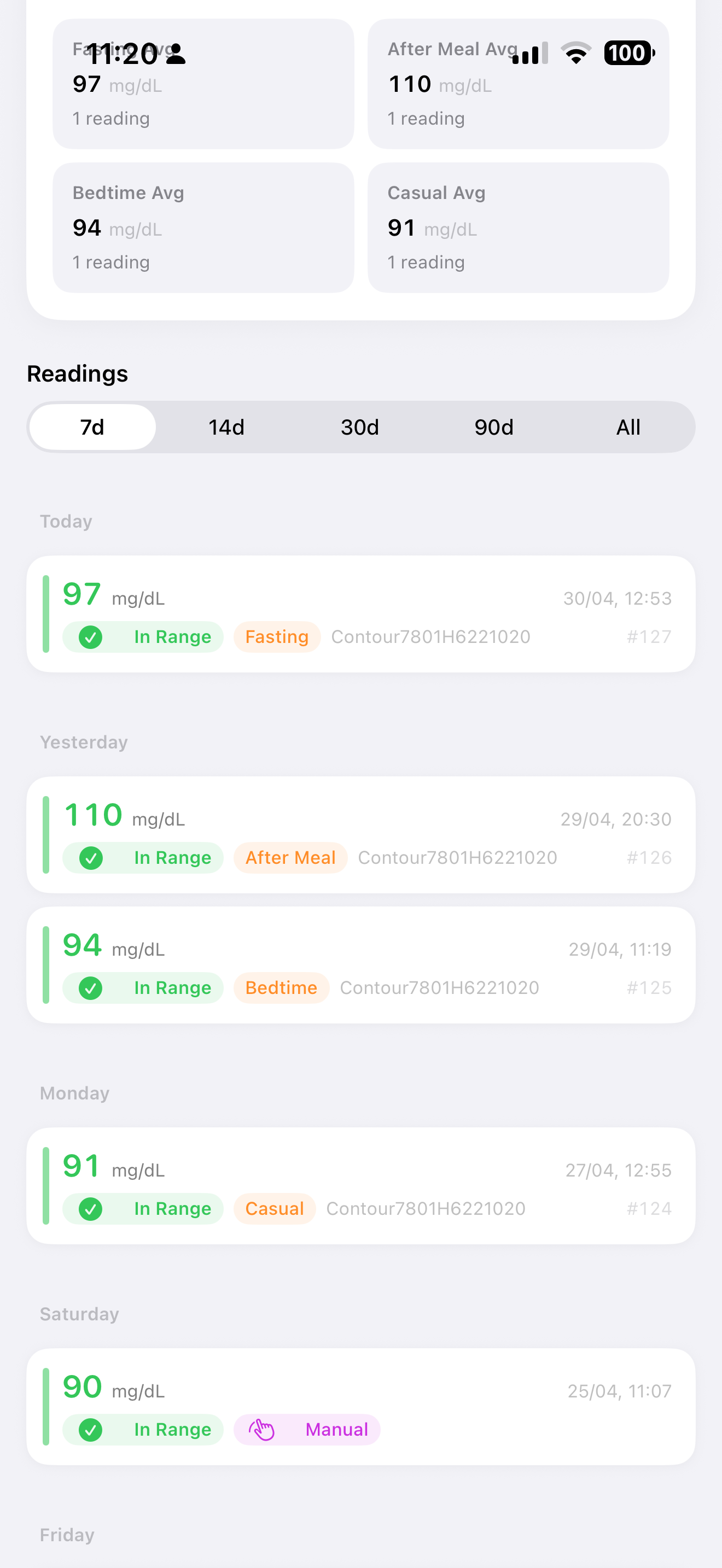
Glucera turns your Bluetooth blood glucose meter into a connected companion for iPhone and Apple Watch. It pairs with your meter, pulls every reading off it, and stores them in Apple Health — then surfaces your numbers as Time in Range, estimated A1c, meal averages, and a trend chart. There's no account and nothing leaves your phone: no cloud, no analytics, no network calls.
Continuous glucose monitors aren't supported. Sensors like the FreeStyle Libre 3, Dexcom G6/G7, and Eversense roll their own encrypted Bluetooth protocols and don't publish them, so there's no standards-based way to read them. Glucera supports glucometers that implement the Bluetooth Glucose Profile (GLP 1.0.1), plus a few with documented proprietary protocols like OneTouch Verio. See the list of meters known to work — I'll keep it updated as testers report back.
Step 1
Step 2
Step 3
Always on hand
No need to go through a checklist — just use the app normally. But if you're looking for things to try, these are the areas where your feedback matters most right now.
Priority 1
Priority 1
Priority 2
Priority 2
Priority 3
Priority 3
These meters have been tested end-to-end and sync reliably with Glucera. Any meter exposing the standard Bluetooth Glucose Service (0x1808) is likely to work — if yours isn't listed, give it a try and let me know either way.
No known issues.
No known issues.
Whatever works for you. Even a one-liner like "X broke on my Contour Next One" is genuinely useful.
Pick the one that fits the type of feedback.
Best for bug reports, connection problems, and anything that needs back-and-forth. Attach a screenshot if it helps.
beta@glucera.app
Shake your iPhone while in the app to open the TestFlight feedback form. Attaches a screenshot automatically. Easiest way to flag a specific screen.
Settings → Send Diagnostics generates a report with device info and sync events — no health data. Attach it to your email when reporting a connection issue. You can review it before sending.
You might run into these — I'm aware and working on them. No need to report unless you have something new to add.
iOS widget refresh scheduling means the home screen widget sometimes shows the previous reading immediately after a sync. It will update within a few minutes without any action needed.
On first connection, some glucometers need a couple of tries before the GATT handshake completes. Subsequent connections are faster. Force-quit and reopen if stuck.
A small number of testers report that meal context (Before/After Meal markers from the meter) isn't always captured correctly on Accu-Chek Guide. I'm looking into it. If you hit this, let me know your meter firmware version.
iOS limits background Bluetooth access. Glucera uses a 3-minute background window after connection and will reconnect when you open the app. Continuous background sync would require constant battery drain and is not planned.
DeviceStore.current()?.name, plumbed through both call sites (foreground sync snapshot and headless background sync), with a "Glucometer" fallback for the empty-pair edge case.readHK pass. The next sync would compute seq = lastSeq + 1 (≈ 1.7 billion) and UInt8(seq >> 8) would trap with "Not enough bits to represent the passed value." Manual entries are now skipped when computing per-device max-sequence; out-of-range stored sequences are clamped to 16 bits and reset to 0; both syncTapped and the headless background sync path mask the byte values defensively.[Glucose Service, OneTouch Verio] only — the unencrypted Device Information / Current Time reads we used for diagnostic logging were running alongside the encrypted-CCCD subscribe attempts and could interfere with the iOS bonding handshake on some Ascensia Contour models. Diagnostic prints ([BLE] …) now route through os.Logger so they reach Console.app and idevicesyslog, not just the Xcode debug console.BLEsyncError fires, instead of continuing to issue doomed RACP writes every 10 s for 3 minutes against a meter whose bond is no longer trusted.doWrite short-circuits when the peripheral is not .connected; subscription retry is gated on connection state and prior encryption-error reporting; the OneTouch Verio handler is cleared on didDisconnectPeripheral and didFailToConnect for symmetry with the explicit disconnect path.(BGMSequenceNumber, value) — meter-canonical, so the same physical reading is recognized whether it was reattributed to a different device UUID after the single-device migration, or written by a re-sync at a slightly different timestamp due to meter-clock drift. A minute-bucket fallback covers legacy records that pre-date sequence-number metadata.allLogEntries carried any event message, even if no meter had ever been paired.(deviceUUID, sequence), so the same physical reading could end up in the in-memory list under two different device IDs and double-render in the chart and statistics. Sync now also dedupes by (timestamp, value), and the chart / stats compute pass collapses any remaining collisions defensively. The reading list, hero, A1c, Time-in-Range, and widget snapshot all benefit.Tap the link below to open Glucera in TestFlight. You'll get every update automatically as I ship new builds.
Requires iPhone with iOS 17 or later.
TestFlight is Apple's official beta distribution platform.
Don't have TestFlight? Install it from the App Store first — it's Apple's official beta testing app and is free. Once you have TestFlight, the link above will take you straight to Glucera.
Every "this felt off" or "my meter didn't connect" makes the app better for everyone who'll use it after launch. I read everything.